So I made this mistake a few years ago that basically taught me everything I know about enterprise UI design. I was brought in to redesign an internal logistics app for this mid-size company, and I was so excited. Finally, a chance to clean up one of those ugly enterprise interfaces and make it look like a modern consumer app!
I spent weeks creating these beautiful, minimal screens inspired by the latest consumer app trends. Clean white space, subtle animations, card-based layouts – the works. I was pretty proud of it, honestly.
The user feedback session was… educational.
“Where did all the information go?” asked Sarah, who’d been using the old system for five years. “I used to be able to see 20 orders on one screen, now I can only see 6.” Mike, the warehouse manager, was confused about why he needed three clicks to do something that used to take one.
That’s when I realized I had fundamentally misunderstood what UI design for enterprise applications needed to accomplish.
The Consumer App Mindset (And Why It Doesn’t Always Work)
Here’s the thing: most of us learn design principles from consumer apps. Instagram, Spotify, Airbnb – these are the interfaces we interact with daily, the ones that win design awards, the ones we study in case studies.
And consumer apps have taught us some really valuable principles:
- Simplicity is good
- White space creates focus
- Progressive disclosure reduces cognitive load
- Delight moments improve engagement
But I’ve learned that applying these principles blindly to enterprise UI design can actually make things worse for users.
Consumer Apps Want Your Attention Consumer apps are competing for your time and attention. They want you to open the app, engage with content, and stick around as long as possible. Every design decision is optimized for engagement and retention.
Enterprise Apps Want to Get Out of Your Way Enterprise software users are trying to get their job done as quickly and accurately as possible. They’re not there for delight or engagement – they want efficiency and productivity.
This fundamental difference in goals changes everything about how you should approach design.
What Makes Enterprise Application UI Design Different
After working on probably a dozen enterprise projects now, I’ve started to see some clear patterns in what actually works versus what looks good in a portfolio.
Information Density Matters More Than Visual Appeal In consumer apps, showing one piece of information at a time feels focused and clean. In enterprise apps, it often just creates more work.
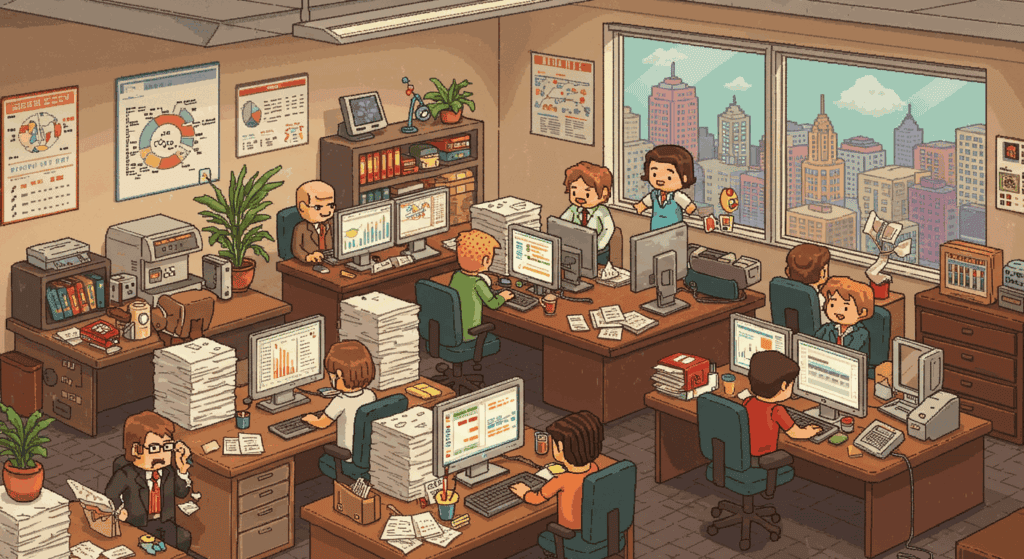
I learned this the hard way with that logistics app. The old interface was visually cluttered but informationally rich. Users could scan 20 orders at once and spot problems immediately. My “improved” design forced them to paginate through multiple screens to see the same information.
Power Users Need Power Features Consumer apps are designed for occasional use by average users. Enterprise apps are often used 8+ hours a day by people who become incredibly skilled with the interface.
These power users want keyboard shortcuts, bulk actions, customizable views, and advanced filtering. They’ll trade visual simplicity for functional efficiency every single time.
Context Switching Is Expensive When someone’s using Instagram, context switching to check a notification isn’t a big deal. When someone’s processing invoices or managing inventory, losing their place in a workflow can be genuinely costly.
This means enterprise UI design needs to minimize mode switches, preserve state better, and provide more contextual information upfront.
The Mistakes I See (And Have Made) Constantly
Mistake #1: Prioritizing Visual Simplicity Over Functional Efficiency I see so many redesigns that take a dense, information-rich enterprise interface and “clean it up” by hiding half the functionality behind menus and modal dialogs.
It looks great in screenshots, but it makes the actual work harder.
Mistake #2: Assuming Users Want to Explore and Discover Consumer apps benefit from exploration – you might discover a new feature or piece of content that keeps you engaged longer. Enterprise users just want to complete their tasks and move on.
Progressive disclosure and hidden features aren’t helpful when users need predictable, efficient workflows.
Mistake #3: Designing for the Demo, Not the Day-to-Day Enterprise software often gets judged during sales demos, so there’s pressure to make interfaces that look impressive to executives. But the people actually using the software daily have very different needs.
A interface that wows in a 15-minute demo might be frustrating to use for 8 hours straight.
What Actually Works in Enterprise Software UI Design
Let me share some principles I’ve learned from watching actual enterprise users work:
Embrace Productive Density Don’t be afraid of showing lots of information on screen if users need it. The key is organizing it clearly, not hiding it.
Good enterprise UI design uses visual hierarchy, consistent spacing, and clear grouping to make dense interfaces scannable rather than overwhelming.
Make Everything Keyboard Accessible Power users love keyboard shortcuts. Tab navigation should be logical, common actions should have shortcut keys, and users should be able to complete entire workflows without touching the mouse.
This isn’t just about accessibility (though that’s important too) – it’s about efficiency.
Status and Context Are Critical Enterprise users need to understand where they are in a process, what state things are in, and what actions are available at any given moment.
Consumer apps can be more ambiguous about state because the stakes are lower. In enterprise software, unclear state can mean lost work or incorrect data.
Batch Operations Are Your Friend If someone needs to do something once, make it easy. If they need to do it 50 times, make it batchable.
This is one of the biggest differences I see between consumer and enterprise application UI design. Consumer apps optimize for individual actions, enterprise apps need to optimize for bulk operations.
The Visual Design Differences That Actually Matter
Typography and Contrast Enterprise software is often used in suboptimal lighting conditions – office fluorescents, multiple monitors, long sessions that cause eye strain. This means you need higher contrast ratios and more readable typography than you might use in a consumer app.
Subtle, low-contrast design might look sophisticated, but it can be genuinely hard to read during an 8-hour workday.
Color Usage In consumer apps, color is often used for branding and emotional impact. In enterprise UI design, color should primarily communicate meaning and status.
Users need to quickly understand what different colors mean (error states, status indicators, priority levels) and that meaning needs to be consistent across the entire application.
Data Visualization Enterprise apps deal with a lot of data, and users often need to spot trends, outliers, and patterns quickly. This means charts and tables aren’t just nice-to-haves – they’re core interface elements that need careful design attention.
The Mobile Problem (It’s More Complicated Than You Think)
Here’s something that trips up a lot of designers: enterprise UI design for mobile isn’t just about making things smaller.
Different Use Cases Enterprise mobile use is often situational – checking something quickly while away from desk, updating status from the field, accessing information during meetings. This is very different from consumer mobile use patterns.
Input Methods Enterprise mobile users might be wearing gloves, using the app outdoors, or trying to input complex data on a small screen. Touch targets and input methods need to account for these constraints.
Connectivity Issues Enterprise mobile apps often need to work in warehouses, construction sites, or other locations with poor connectivity. This affects everything from data loading strategies to offline functionality requirements.
When Consumer App Patterns Actually Do Work
I don’t want to give the impression that enterprise UI design can’t learn anything from consumer apps. There are definitely patterns that transfer well:
Clear Navigation Structures Good information architecture principles apply everywhere. Users should be able to predict where to find things and understand how different sections relate to each other.
Consistent Interaction Patterns If clicking something works one way in one part of the app, it should work the same way everywhere. This is just as important in enterprise software as consumer apps.
Responsive Design Principles Enterprise apps need to work on different screen sizes too, and the principles of responsive design absolutely apply.
User Onboarding Even expert users need to learn new systems. Good progressive disclosure and contextual help can make complex enterprise software more approachable.
The Psychology Is Different Too
Motivation Consumer app users are choosing to engage with your product for entertainment, convenience, or personal benefit. Enterprise users often don’t have a choice – they use the software because their job requires it.
This means enterprise application UI design can’t rely on intrinsic motivation to overcome usability problems. If the interface is frustrating, users can’t just switch to a competitor.
Error Tolerance In a consumer app, if someone makes a mistake or loses some data, it’s annoying but not catastrophic. In enterprise software, errors can have real business consequences.
This means enterprise interfaces need better error prevention, clearer confirmation dialogs, and more robust undo functionality.
Learning Investment People expect to learn consumer apps quickly and intuitively. With enterprise software, users are willing to invest more time in learning if it makes them more efficient long-term.
This opens up opportunities for more sophisticated interfaces that would be overwhelming in consumer contexts.
What This Means for Your Design Process
If you’re working on enterprise UI design, here are some things I wish I’d known earlier:
Spend Way More Time with Actual Users Enterprise users often have deep domain expertise and can teach you things about their workflows that aren’t obvious from business requirements. The logistics folks I worked with knew optimization tricks that weren’t documented anywhere.
Question Beautiful If your enterprise interface looks like it belongs in a design museum, you might be optimizing for the wrong things. Beautiful can be a byproduct of good functionality, but it shouldn’t be the primary goal.
Design for the Worst Case Consumer apps can often handle edge cases with error messages or graceful degradation. Enterprise apps need to handle edge cases smoothly because they’re often mission-critical workflows.
Test with Real Data Enterprise software with dummy data looks very different from enterprise software with real, messy, legacy data. Test with realistic data volumes and complexity.
The Accessibility Imperative
This is one area where enterprise and consumer design absolutely should have the same standards, but often don’t.
Legal Requirements Many enterprise software purchases, especially in government or large corporations, have accessibility requirements. It’s not optional.
User Diversity Enterprise software users span all ages, abilities, and technical comfort levels. Your interface needs to work for everyone, not just young, tech-savvy users.
Productivity Benefits Good accessibility often improves usability for everyone. Keyboard navigation, clear focus states, and logical tab order make interfaces faster for all users, not just those who need assistive technology.
The Future of Enterprise UI Design
I think we’re in this interesting transition period where enterprise software is slowly getting better, but it’s happening differently than consumer app evolution.
Consumerization Pressure Users who interact with well-designed consumer apps all day are increasingly frustrated with clunky enterprise interfaces. This is creating pressure for better design, even in traditional enterprise software companies.
New Tools and Frameworks Better design systems and component libraries are making it easier to create polished enterprise interfaces without starting from scratch.
Remote Work Impact The shift to remote work means more people are spending more time in enterprise software, which is increasing attention on user experience issues that might have been tolerated in office environments.
My Completely Honest Take
Here’s what I think about the consumer vs. enterprise UI design debate: both approaches have their place, and the best enterprise designers understand principles from both worlds.
Consumer app design teaches us about user empathy, clear communication, and thoughtful interaction design. Enterprise design teaches us about efficiency, information architecture, and designing for expert users.
The mistake is thinking you can just apply consumer patterns directly to enterprise problems, or assuming that enterprise software has to be ugly and complicated.
The sweet spot is understanding what your users actually need to accomplish and designing the most effective interface for those goals, whether that looks like a consumer app or not.
What to Do With This Information
If you’re designing enterprise software:
Talk to your actual users regularly. Not just stakeholders or product managers – the people who use the software every day.
Measure task efficiency, not just satisfaction. How quickly can users complete their work? How many errors do they make? These metrics matter more than whether they think the interface is “pretty.”
Design for expertise. Your users will become experts with your interface. Design for their future skill level, not their first day.
Don’t be afraid of complexity when it serves a purpose. Complexity for its own sake is bad, but necessary complexity shouldn’t be hidden just to look simpler.
Test with realistic scenarios. Use real data, real time pressures, and real interruptions.
The goal isn’t to make enterprise software look like consumer apps. The goal is to make enterprise software that helps people do their best work.
P.S. – If you’re redesigning enterprise software and the current users seem resistant to change, they might not be being stubborn. They might have workflows and efficiency tricks with the current system that aren’t obvious to outsiders. Listen to them.